

A new inquiry never answered your first response
Send a respectful follow-up using the reason they originally contacted you instead of starting a generic sales sequence.
Free Follow-Up Message Pack
A new inquiry does not respond. A customer gets the quote but does not make a decision. Someone says “not yet,” and you are not sure when to reach back out.
The pack gives you nine ready-to-edit email and text messages for common follow-up moments, from the first inquiry through closing out a lead that has gone quiet.
Free Excel message pack. No account required. Anything you download is yours to keep.
Created by Josh Keller, CFO and business owner, for owner-led businesses.
A useful follow-up gives the customer something to respond to.
Instead of repeatedly asking whether they have made a decision, ask whether something about the scope, timing, price, or next step is still unclear.
That is the approach used throughout the pack.
Fictional illustrative example.
When this helps
Good follow-up should make the next decision easier.
Send a respectful follow-up using the reason they originally contacted you instead of starting a generic sales sequence.
Ask whether something is unclear or needs to change rather than sending another message that only says you are checking in.
Respect the reason they are waiting and, when appropriate, agree on when it makes sense to contact them again.
End the follow-up clearly and leave the door open if the customer’s plans change.
What you get
The pack covers:
Each one includes:
See what's inside
The file has four sheets.
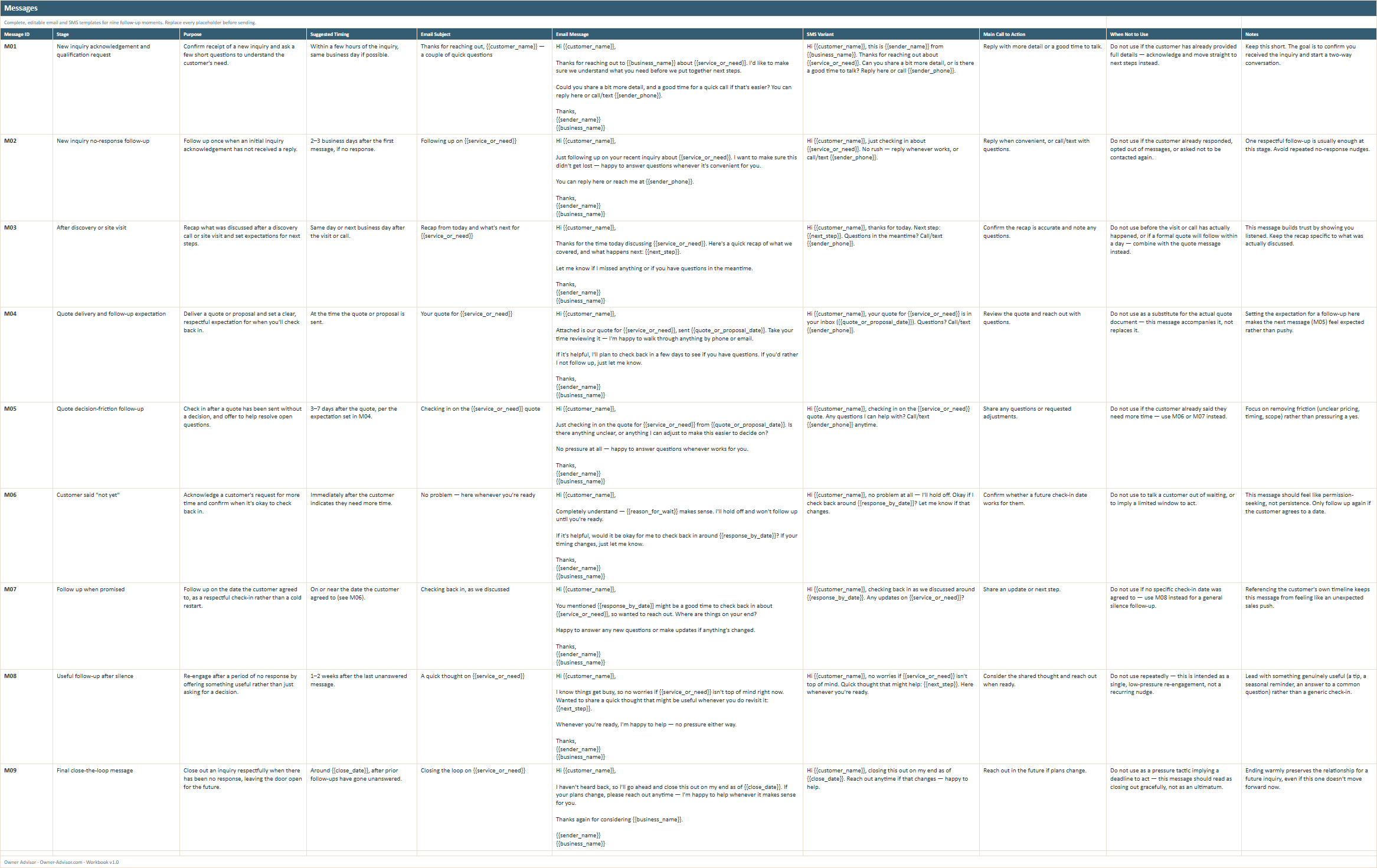
Nine complete email and text templates you can customize before sending.
Choose the situation that matches the customer, replace the placeholders, and adapt the wording to what has actually happened.
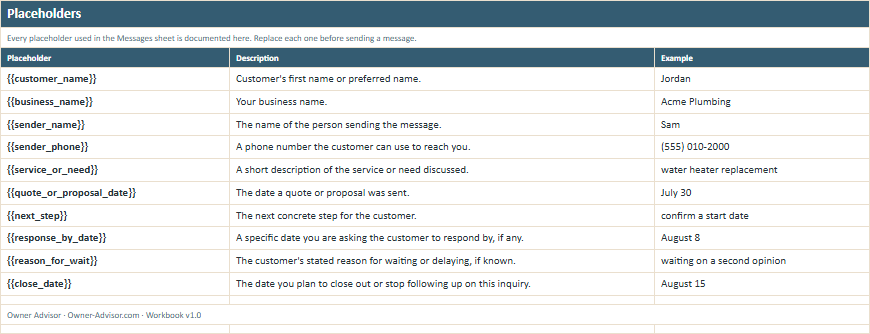
The pack uses ten defined placeholders for information such as the customer name, business name, service, quote date, next step, future follow-up date, reason for waiting, and close date.
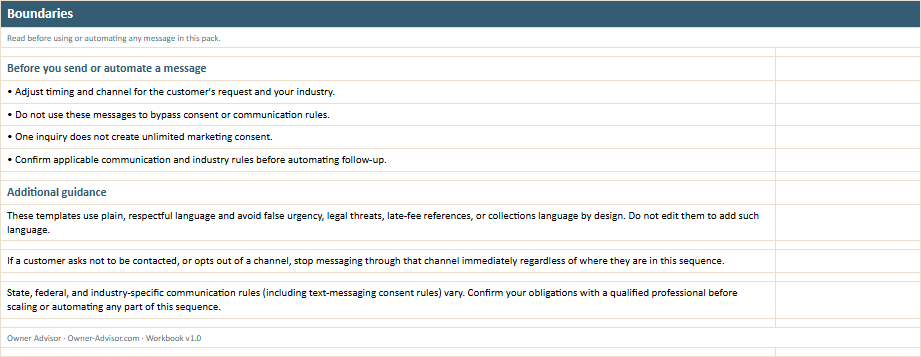
The pack includes reminders about opt-outs, customer preferences, appropriate timing and channel, and the difference between following up on an inquiry and ongoing promotional marketing.
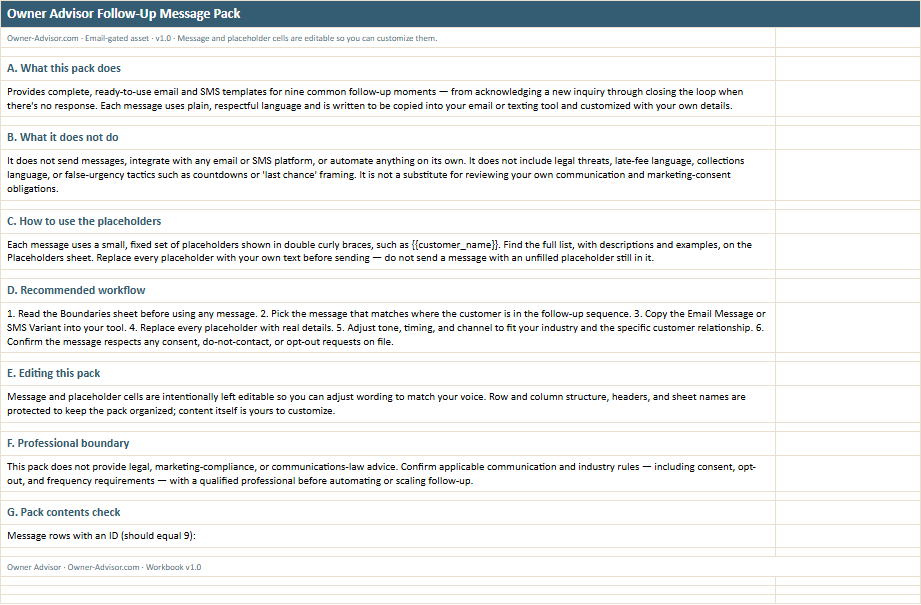
Pick the right message, replace the placeholders, adjust the wording and timing, and send it through the email or texting tool you already use.
All names, amounts, dates, businesses, and scenarios shown in the previews are illustrative.
Start with the leads you already have open
Find the customer’s current situation.
Are they a new inquiry? Waiting on a quote? Reviewing one? Delaying? Or simply no longer responding?
Pick the closest message.
Use the template as a starting point, not as a script that ignores what has already happened.
Replace the placeholders and make it specific.
Add the actual service, next step, dates, and details from the customer relationship.
Send it once — then follow the stop rule.
Do not keep sending variations of the same message because the customer has not answered.
Message Pack details
Related resources
If good leads are stalling across the sales path, a single message may not be the whole problem.
If good leads are coming in but too few become customers, look beyond the individual follow-up and find the stage where opportunities are being lost.
There are nine situations covering the path from a new inquiry through a final close-the-loop message when an opportunity has gone quiet.
Both. Each situation includes a complete email and a shorter text-message version.
Yes. The message content is intentionally editable so you can make it fit your business and the actual customer conversation.
No. The pack does not send messages or connect to an email, texting, customer-management, or marketing platform.
No. Pick the message that matches the customer’s situation. Several templates specifically tell you when not to use them.
Stop contacting them through that channel. The pack is not intended to override an opt-out, do-not-contact request, or other communication requirement.
No. One inquiry does not create unlimited marketing consent. Following up about an open inquiry or quote is different from enrolling someone in ongoing promotional marketing.
No. Communication, consent, texting, privacy, and industry requirements can vary. Confirm the rules that apply to your business before automating or scaling follow-up.
Respond to the inquiry.
Set the expectation when you send the quote.
Follow up with something useful.
Respect the customer’s timing.
And know when to close the loop.
Practical message templates only; not legal, TCPA, or marketing-compliance advice. One inquiry does not create unlimited marketing consent.
Enter your email and we’ll send you the message pack. No account required. Anything you download is yours to keep.