

The scope sounds familiar, but important details are hard to find
Track where the term appears, summarize the business meaning in plain language, and flag anything missing or unclear.
Free Contract Review Workbook
Maybe the price looks right. The scope sounds familiar. The payment terms seem straightforward.
But one missing exhibit, an unclear change-order process, a renewal deadline, a customer obligation, or a risk clause you barely noticed can change what the business is actually agreeing to.
Before signing, renewing, terminating, or materially changing an agreement, it helps to slow the document down and work through the business terms one question at a time.
The Contract Review Workbook gives you one place to identify where important terms appear, summarize what they mean to the business, flag what is missing or unclear, record owner decisions, track deadlines and documents, and organize the questions that still need a qualified professional's answer.
"Acceptable for Business Purposes" is your business judgment — not legal approval.
Free Excel workbook. No account required. Anything you download is yours to keep.
Created by Josh Keller, CFO and business owner, for owner-led businesses.
Here's a filled-in example so you can see what the numbers are showing before you use your own.
The workbook keeps the missing document visible instead of allowing the agreement to look complete simply because the main contract is sitting in front of you.
It does not tell you whether the agreement is legally enforceable or whether you should sign it.
The workbook's own worked example includes an agreement under review where Exhibit A is referenced but has not been received while other terms and professional questions are still being worked through.
Fictional illustrative example.
When this helps
Track where the term appears, summarize the business meaning in plain language, and flag anything missing or unclear.
Review price, deposits, billing, payment timing, retainage, expenses, taxes, invoice disputes, withholding, and payment remedies instead of looking only at the headline price.
Record change-order rules, customer responsibilities, notice requirements, renewal terms, expiration dates, non-renewal deadlines, termination provisions, and other obligations that can become easy to miss once the agreement is active.
Identify the question, the affected part of the business, and whether the right next step is an attorney, accountant, insurer or broker, tax adviser, human-resources adviser, licensing specialist, safety professional, or another qualified specialist.
What you get
The workbook starts with 26 standard business-term topics so you have a structured first pass instead of trying to remember every question while moving through a long agreement.
You also get 12 custom-topic rows for issues unique to the agreement, plus:
For each review topic, you can record where the term appears, what it means to the business, whether you understand it, your business decision, whether professional review is needed, the business impact, the remaining question, who owns it, and the review status.
What it does — and doesn't do
The workbook helps you turn a long agreement into a structured business review. It helps you identify missing information, organize deadlines and documents, record owner decisions, and prepare better questions for the professionals involved. It does not determine whether the contract is legally acceptable, score the agreement, draft replacement language, or tell you whether to sign it.
Before you put information in the file
Use short descriptions, section references, business summaries, dates, document names, questions, and follow-up notes.
Do not enter full contract text, privileged legal communications, credentials, payment-card or bank information, employee records, customer records, or other unnecessary confidential data.
Keep the actual agreement and sensitive source documents in the appropriate document system and use the workbook to organize the review.
See what's inside
The file has five sheets.
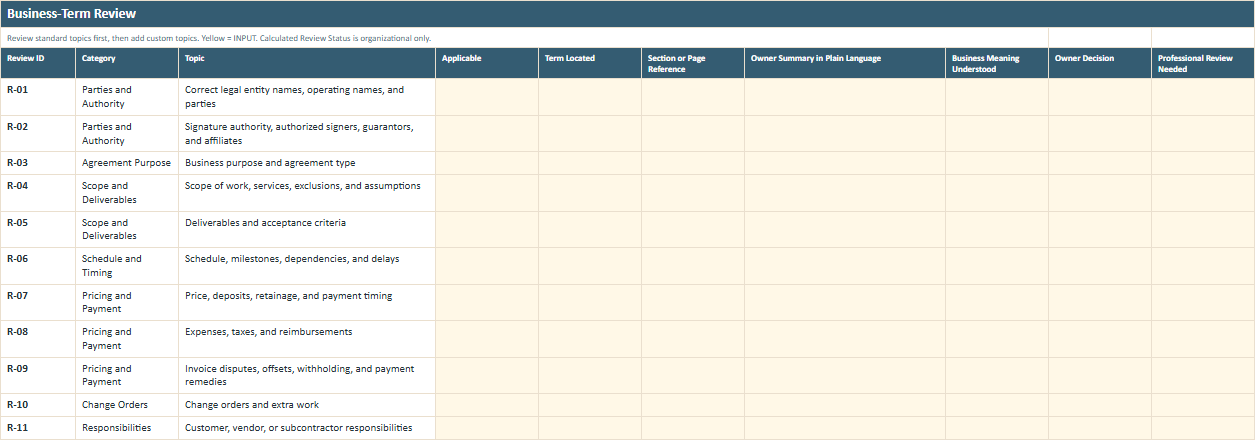
Turn a long agreement into a list of business questions you can work through one at a time.
Review the 26 standard topics and add custom ones when needed. Record where the term appears, summarize its business meaning, flag missing or unclear language, make the owner decision, and identify professional-review needs.
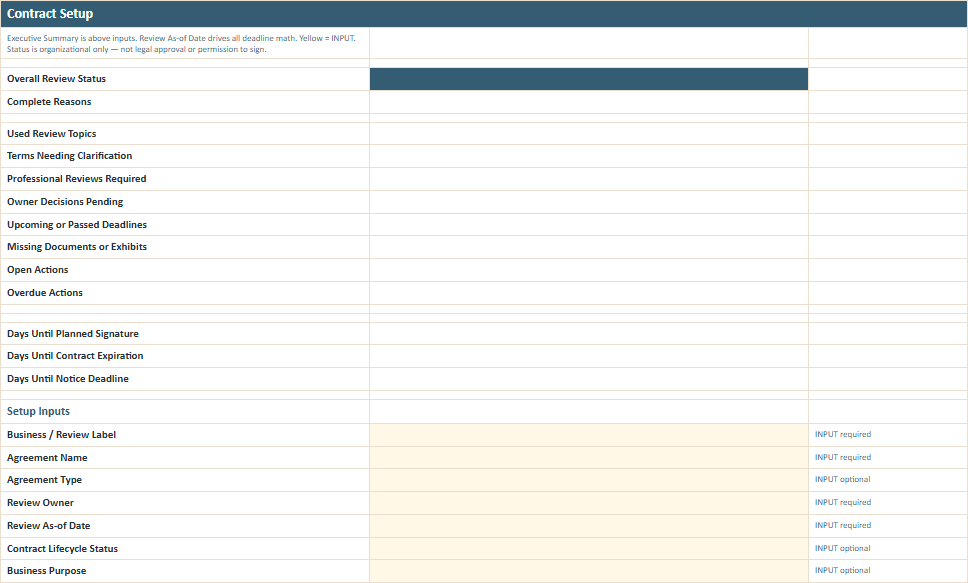
Record the agreement name and type, lifecycle stage, business purpose, counterparty, contracting entities, internal owner, effective and expiration dates, renewal terms, notice deadline, planned signature date, estimated value, professional contacts, and document location. The sheet also provides the executive summary showing unresolved terms, professional reviews, owner decisions, deadlines, missing documents, and open actions.
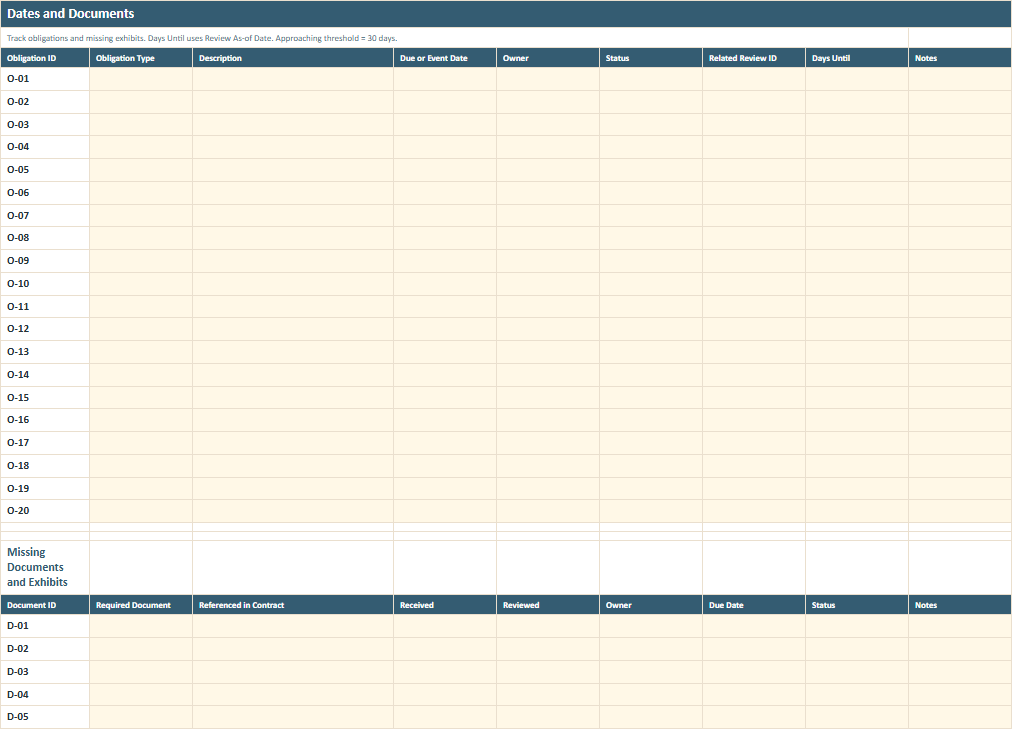
Track effective dates, expiration, automatic renewal, non-renewal notices, termination notices, milestones, payments, insurance certificates, reporting, audits, price adjustments, warranty periods, confidentiality survival, record-retention obligations, and other important dates. Use the same sheet to track referenced exhibits, schedules, certificates, or other required documents and whether they have actually been received and reviewed.
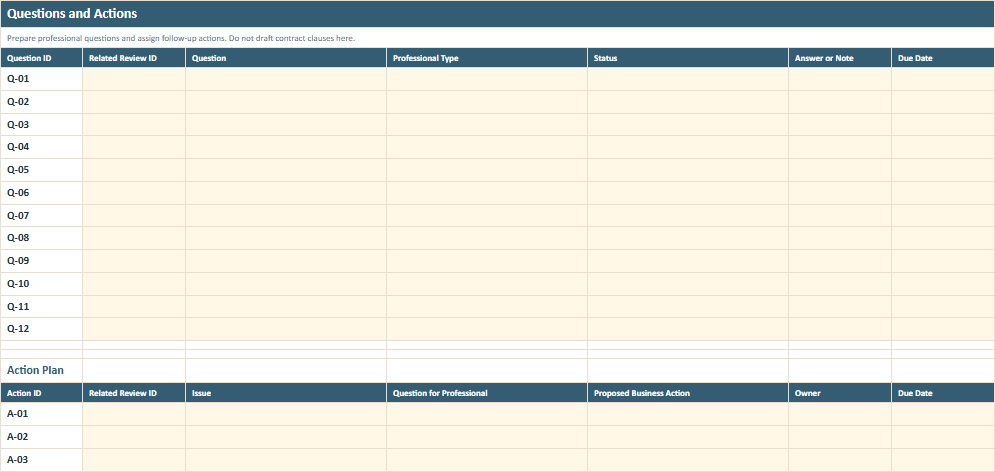
Track the question, related review topic, appropriate professional, answer note, due date, follow-up action, owner, evidence, next review date, and status.
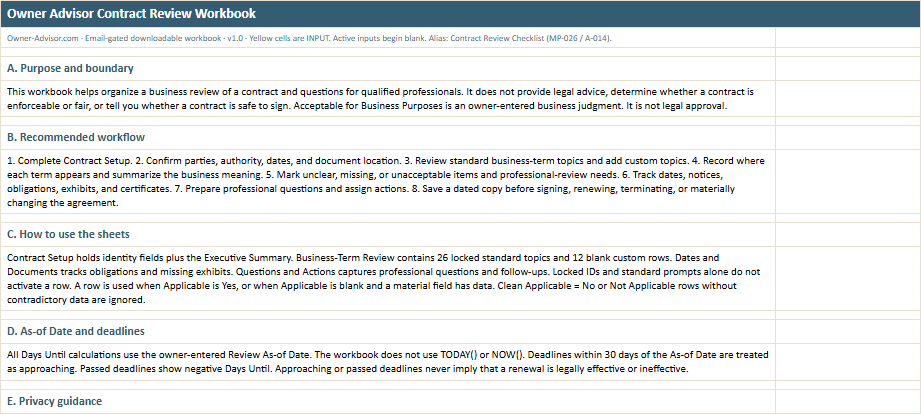
The instructions explain the recommended review sequence, how deadlines work, what information belongs in the workbook, the worked example, and the limits of the tool.
All names, amounts, dates, businesses, and scenarios shown in the previews are illustrative.
Start with the agreement you actually have
The goal is not to turn the owner into a lawyer. It is to make sure the business questions do not disappear inside the legal document.
Complete the basic contract setup.
Record the parties, business purpose, review date, lifecycle stage, important dates, and where the agreement is stored.
Work through the standard business topics.
Find the relevant term, summarize what it means to the business, and flag anything missing, unclear, or unacceptable.
Pull out the dates, documents, and questions.
Record deadlines, obligations, exhibits, missing documents, and the questions that need another person's input.
Resolve the open decisions before the agreement moves forward.
Get the missing information, involve the appropriate professional when needed, assign follow-up actions, and save a dated review before signing, renewing, terminating, or materially changing the agreement.
Workbook details
Related Business Guide
The Owner Advisor guide What Should a Small-Business Contract Include? explains how recurring problems—unclear scope, disputed extra work, late payment, customer delays, verbal changes, cancellation, ownership questions, disputes, and major claims—connect to contract topics worth reviewing. Use the guide when you want to understand which parts of a contract may matter to the business and why. Then use the workbook when you have an actual agreement and need to organize what it says, what is unclear, what is missing, and what still needs professional review.
No. The workbook organizes a first-pass business review. It does not determine legality, enforceability, fairness, signability, or compliance and does not replace an attorney.
No. It helps you locate, summarize, and organize contract topics and unanswered questions. It does not write replacement clauses or negotiate the agreement for you.
It means you, as the owner, have recorded a business judgment about that topic. It is not legal approval and does not mean the term is enforceable, fair, compliant, or appropriate under applicable law.
Yes. The workbook supports proposed agreements as well as contracts that are already active, renewing, expiring, or being terminated. An active agreement with an approaching renewal, notice deadline, unresolved obligation, missing document, or business term you now need to understand can be a useful reason to work through the review.
Yes. You can record effective dates, expiration dates, renewal terms, notice deadlines, and other obligations. The workbook calculates timing from the Review As-of Date you enter and treats deadlines within 30 days as approaching. That is an organizational reminder only; it does not determine whether a renewal or notice is legally effective.
Record it in Dates and Documents. The workbook can keep the missing document visible as part of the review rather than letting the agreement appear complete when an incorporated exhibit, schedule, certificate, or other document has not been received.
That depends on the agreement and the business. The workbook allows you to flag any topic for professional review. The companion guide specifically identifies areas such as indemnity, liability, insurance, ownership, regulated work, and material legal exposure as situations where attorney or other professional review may become especially important.
No. It means the workbook is organized enough for the owner and appropriate professionals to continue the decision process. It is not permission to sign.
Educational first-pass organization only; not legal advice; no legality, enforceability, fairness, signability, or compliance scoring; does not replace an attorney.
Enter your email and we'll send you the workbook. Anything you download is yours to keep.
Use it to organize the business review before an important contract decision is made.