

You have added people, vehicles, equipment, locations, services, or other operations
Put the change into the exposure inventory so it does not depend on somebody remembering to mention it at renewal.
Free Business Insurance Exposure Worksheet
A new vehicle. Another employee. More subcontractors. Different equipment. A larger customer. A new service. A contract with insurance requirements.
Those changes can happen one at a time, while the insurance conversation still starts with the policies already on file.
Before the next renewal or insurance review, it helps to look at what the business actually does now — and organize what has changed before you sit down with the agent or broker.
The Business Insurance Exposure Worksheet helps you put those changes, current policy information, renewal dates, contract and certificate requirements, incidents, and unanswered questions in one place before that conversation.
Free Excel worksheet. No account required. Anything you download is yours to keep.
Created by Josh Keller, CFO and business owner, for owner-led businesses.
Here's how the worksheet approaches a business change — and where it stops.
The worksheet does not answer the coverage question.
It gives you a place to make the business change visible, connect it to an insurance question, and take that question to the appropriate professional.
The workbook itself uses this planned-delivery-van scenario as an example of how an owner can surface a change without deciding the coverage answer inside the worksheet.
Fictional illustrative example.
When this helps
Put the change into the exposure inventory so it does not depend on somebody remembering to mention it at renewal.
Bring policy dates, review questions, renewal timing, and the areas that still need professional confirmation into one worksheet.
Record the requirement, related policy reference, certificate timing, and the questions that still need to be compared with the actual agreement and policy.
Keep the issue, follow-up, owner, due date, and professional question visible until it has actually been addressed.
What you get
The Exposure Inventory gives you room for up to 25 current, planned, changed, or discontinued business exposures.
The worksheet covers areas such as property and equipment, vehicles and drivers, employees, subcontractors, professional services, products and completed work, customer property, public interaction, cyber and data, contracts and certificates, business interruption, owner dependency, and other business activities.
What it does — and doesn't do
The worksheet helps you find what needs a conversation. It does not tell you what coverage you need.
See what's inside
The file has six sheets.
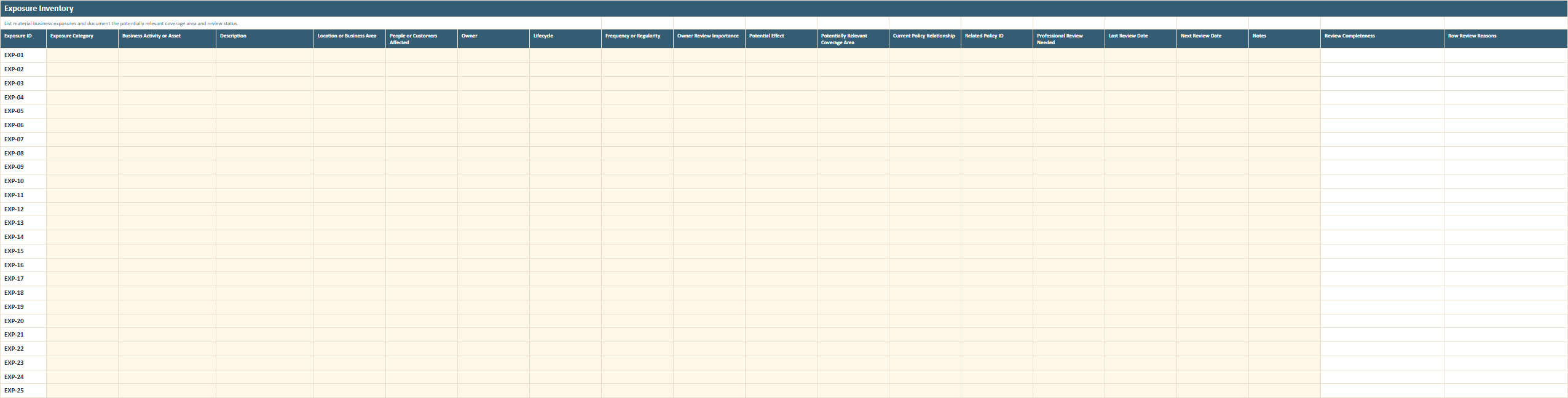
Make the parts of the business that could matter to an insurance review visible.
Record the activity or asset, where it happens, who or what it affects, how often it occurs, the potential effect, a potentially relevant coverage area, the current policy relationship, and whether professional review is still needed.
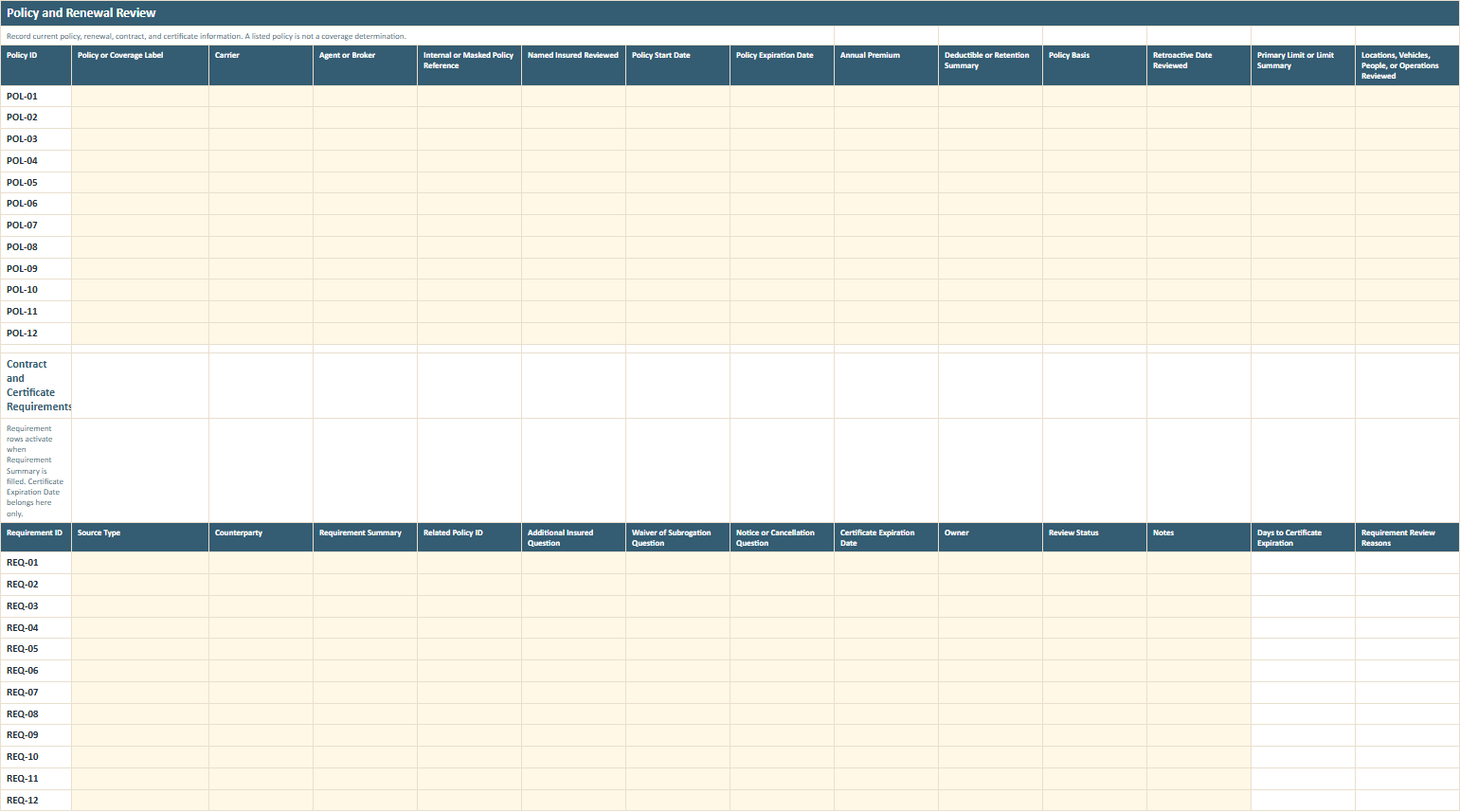
Record policy labels, carrier and broker information, masked references, dates, premiums, deductibles or retentions, limits, policy basis, locations or operations reviewed, exclusions or endorsements reviewed, renewal timing, and other items that may need discussion. This sheet also includes the contract and certificate requirements table so requirements from customers, leases, lenders, vendors, subcontractors, licensing sources, and other agreements do not remain scattered elsewhere.
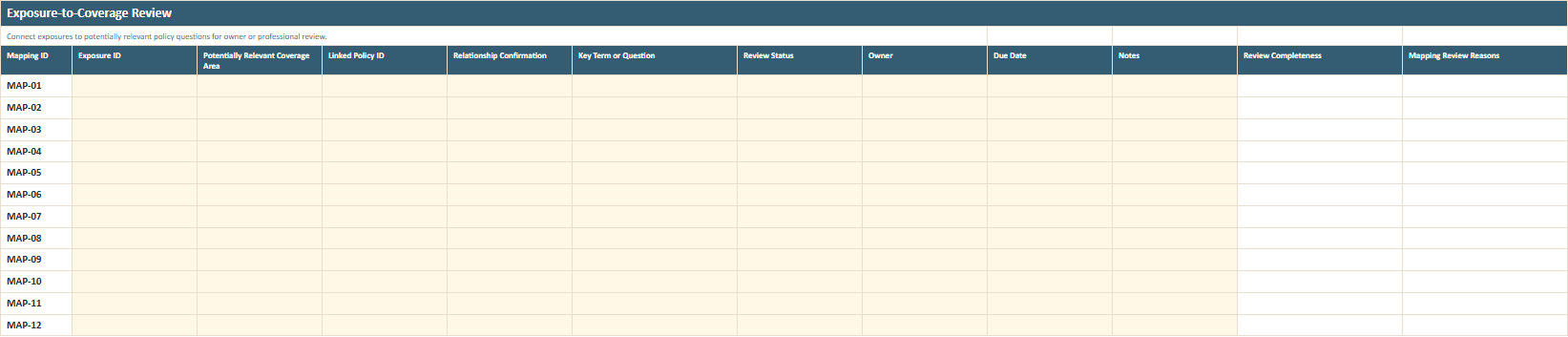
Link an exposure to a potentially relevant coverage area and policy reference, record whether the relationship has actually been confirmed, and identify the key term or question that still needs an answer.
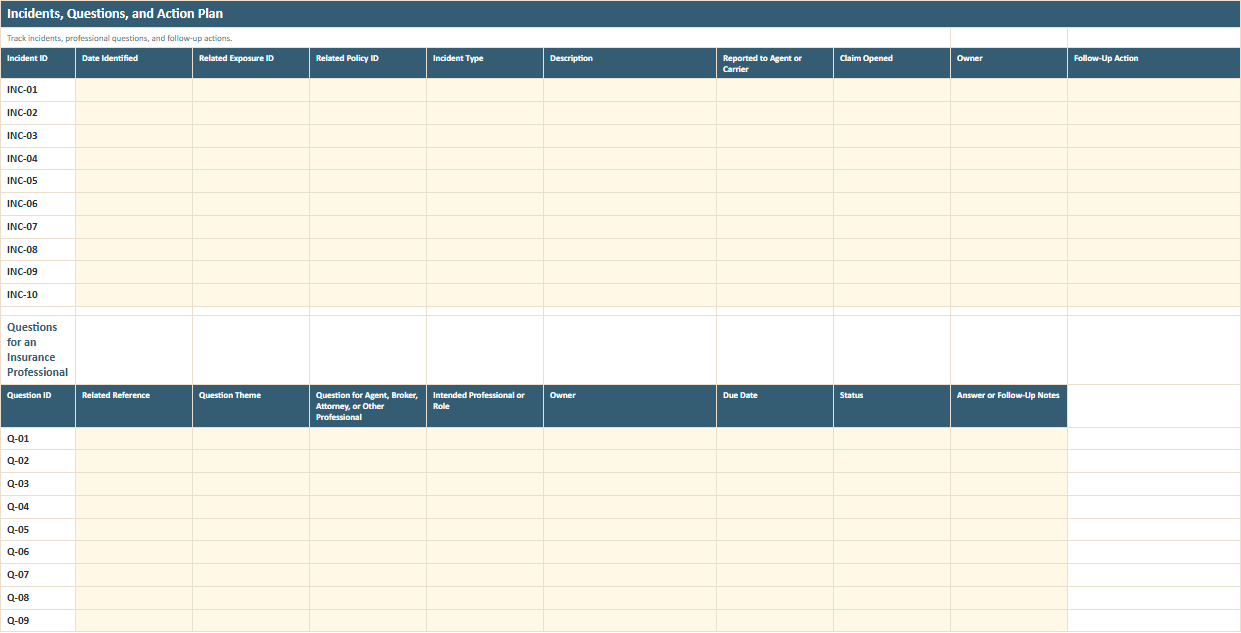
Track incidents, questions for an agent, broker, attorney, or other professional, and follow-up actions with owners and due dates. The Excel worksheet tab itself uses the shorter name Incidents, Questions, Actions because of Excel's worksheet-name limit.
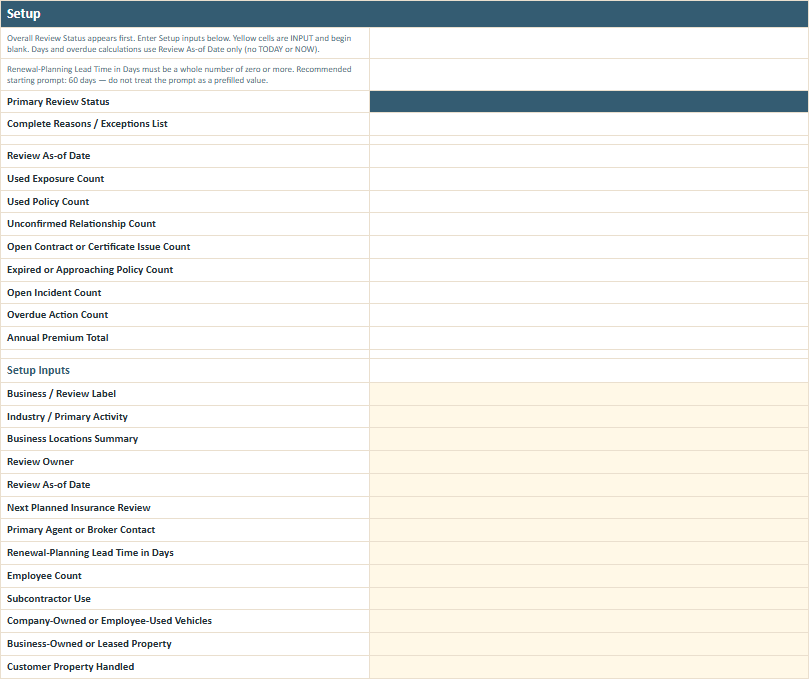
Record the people, locations, vehicles, property, services, products, subcontractor use, online activity, sensitive information, contractual requirements, and material business changes that give the rest of the review context. You also identify who owns the review and when the business plans to look at its insurance again.
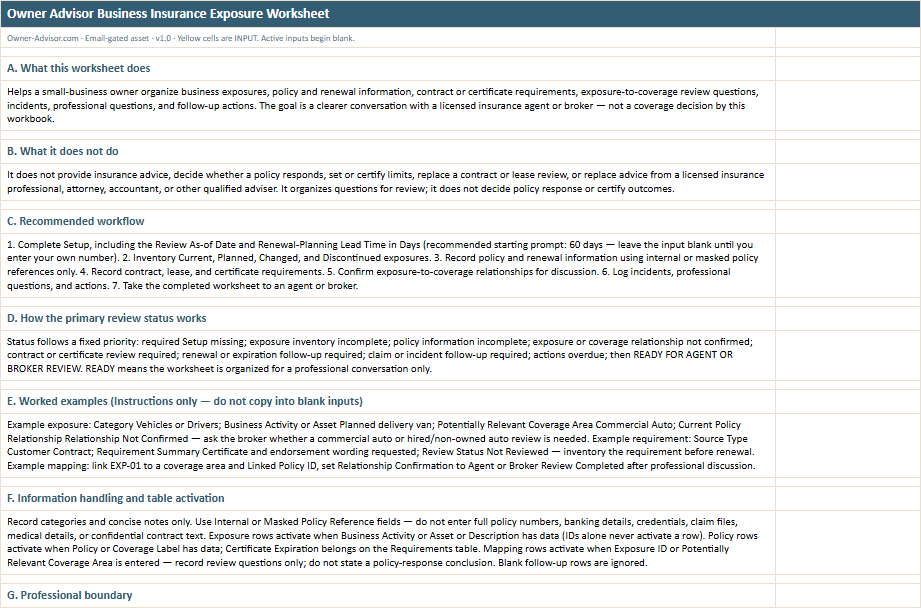
The instructions walk through the review sequence, explain what the worksheet statuses mean, show worked examples, and make clear which questions the workbook is designed to organize rather than answer.
All names, amounts, dates, businesses, and scenarios shown in the previews are illustrative.
Before you put information in the file
Use internal or masked policy references rather than full policy numbers.
Do not enter full policy numbers, banking details, credentials, claim files, medical details, or confidential contract text.
Record the category, concise notes, and the question that needs professional review instead.
Start with what changed
The goal is not to prove you are covered. It is to make the next insurance conversation less likely to miss an important change or unanswered question.
List what the business does and what has changed.
Start with the actual people, property, vehicles, services, products, customer relationships, data, contracts, and operations in the business.
Record the policy and renewal information you already have.
Use masked references and note what has and has not been reviewed.
Connect the open exposures to questions.
Identify the potentially relevant coverage area or policy relationship without trying to decide the answer yourself.
Take the unresolved questions to the right professional.
Bring the worksheet to the agent or broker and involve an attorney, accountant, or other qualified professional when the issue requires their expertise.
Worksheet details
Related Business Guide
The Owner Advisor guide What Insurance Does a Small Business Need? Start With the Risks You Cannot Afford walks through the business exposures that can create serious losses, including employees, customers and the public, professional services, products, property and equipment, vehicles, business interruption, and technology. Use the guide when you want to think through what could seriously hurt the business. Then use this worksheet to organize what has changed, what policy information you already have, and what needs to be discussed with a licensed insurance agent or broker.
No. It helps you organize business exposures and questions for a licensed insurance agent or broker. It does not decide what policies, limits, endorsements, or other coverage your business should have.
No. The workbook does not determine policy response or certify that an exposure is covered. Exposure-to-coverage relationships remain questions for professional review.
Examples include new or changed property, vehicles, employees, subcontractors, professional services, products, customer property, public interaction, data or payment activity, contracts, business dependencies, and other operations.
Yes. You can record policy and expiration information, set a renewal-planning lead time, note the next renewal meeting, and keep unresolved renewal questions visible. The workbook's 60-day renewal lead time is a starting prompt only. The input itself starts blank so you can enter the timing appropriate for your business and professional review process.
Yes. The worksheet can organize requirements from customer contracts, leases, lenders, vendor or subcontractor certificates, licensing sources, and other agreements. It does not interpret the agreement or certify that the requirement has been satisfied.
No. Use an internal or masked policy reference. Do not put full policy numbers, claim files, medical details, banking information, credentials, or confidential contract text into the worksheet.
It means the worksheet is organized enough for the professional conversation. It does not mean your coverage is adequate, compliant, or confirmed.
Usually the licensed insurance agent or broker handling the relevant insurance question. Contract, legal, accounting, or other specialized issues may also require an attorney, accountant, or another qualified professional. The worksheet prepares those questions; it does not answer them.
This worksheet helps you analyze business risk, but it does not determine whether a policy covers a specific event, issue a formal interpretation of policy terms, adjudicate claims, or guarantee that coverage is adequate.
Know what changed.
Know what policies and renewal dates you have recorded.
Know what contracts or certificates may need comparison.
Know what questions still need a professional answer.
Enter your email and we'll send you the worksheet. Anything you download is yours to keep.